Friday 18:00 – 18:55

Showing all 5 results

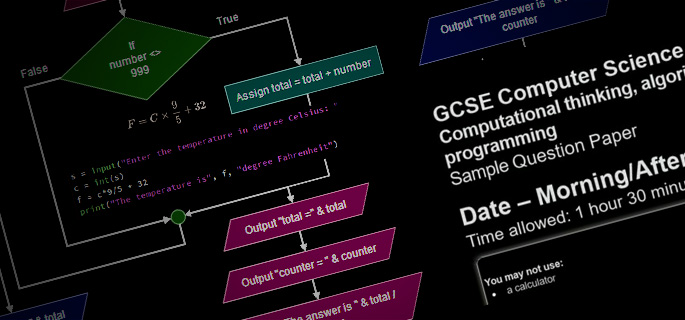
  • Computer Science Revision 4 GCSE (Year 10 and Year 11)

    Spark4Kids is offering online GCSE courses for Year 10 and Year 11 students planning to take the GCSE Computer Science exam. The material and topics covered in these courses are mostly exam-board agnostic, applying to all UK exam boards (with a few exceptions which will be highlighted during the course).

    This course has an accompanying free Taster Session for you to explore.

  • Typing 4 Kids (age 11-17)

    The Typing 4 Kids course is for children either looking to take their first steps in learning how to touch-type, or looking to improve on their existing typing skills.

    Using a gamified approach to learning to type, the challenges start out simple and progressively become more advanced. Using games, levels, badges, stars and leader boards, children learn to type interactively, building up their muscle memory and increasing accuracy and word-speed. Good seating posture and hand-placement are strongly encouraged during the sessions, ensuring a comfortable experience all round. Note that these weekly sessions are led by a LIVE!, remote tutor who is able to provide attendees guidance in real-time, along with progress reviews during the sessions.

    You can register for a free Typing Taster 4 Kidsto experience a session before deciding if you want to register your child for the full course.

  • Typing Skills 4 DofE (age 13-17)

    This Typing Skills 4 DofE course is for attendees either looking to take their first steps in learning how to touch-type, or looking to improve on their existing typing skills.

    Using a gamified approach to learning to type, the challenges start out simple and progressively become more advanced. Using games, levels, badges, stars and leader boards, attendees learn to type interactively, building up their muscle memory and increasing accuracy and word-speed. Good seating posture and hand-placement are strongly encouraged during the sessions, ensuring a comfortable experience all round. Note that these weekly sessions are led by a LIVE!, remote tutor who is able to provide attendees guidance in real-time, along with progress reviews during the sessions.

    At the end of the course, you will receive a Spark4Kids certificate and a Skills Assessor report will be submitted to the Duke of Edinburgh towards your eventual skills award.

    This course has a taster session Typing Skills Taster 4 DofE where participants can get a sense of what the full course entails before registering.

  • Typing Skills Taster 4 DofE (age 13-17)

    This Typing Skills Taster 4 DofE course is for attendees either looking to take their first steps in learning how to touch-type, or looking to improve on their existing typing skills.

    Using a gamified approach to learning to type, the challenges start out simple and progressively become more advanced. Using games, levels, badges, stars and leader boards, attendees learn to type interactively, building up their muscle memory and increasing accuracy and word-speed. Good seating posture and hand-placement are strongly encouraged during the sessions, ensuring a comfortable experience all round. Note that these weekly sessions are led by a LIVE!, remote tutor who is able to provide attendees guidance in real-time, along with progress reviews during the sessions.

    At the end of the course, you will receive a Spark4Kids certificate and a Skills Assessor report will be submitted to the Duke of Edinburgh towards your eventual skills award.

    These Taster sessions run during term-time and by the end of the taster session, participants should have a sense of what the full course entails, helping them decide if they want to complete their Duke of Edinburgh award with the Spark4Kids Typing Skills 4 DofE course.

  • Typing Taster 4 Kids (age 11-17)

    The Typing Taster 4 Kids course is for children either looking to take their first steps in learning how to touch-type, or looking to improve on their existing typing skills.

    Using a gamified approach to learning to type, the challenges start out simple and progressively become more advanced. Using games, levels, badges, stars and leader boards, children learn to type interactively, building up their muscle memory and increasing accuracy and word-speed. Good seating posture and hand-placement are strongly encouraged during the sessions, ensuring a comfortable experience all round. Note that these weekly sessions are led by a LIVE!, remote tutor who is able to provide attendees guidance in real-time, along with progress reviews during the sessions.

    The taster session will help attendees decide if they want to continue their touch-typing journey with the Typing 4 Kids full course.